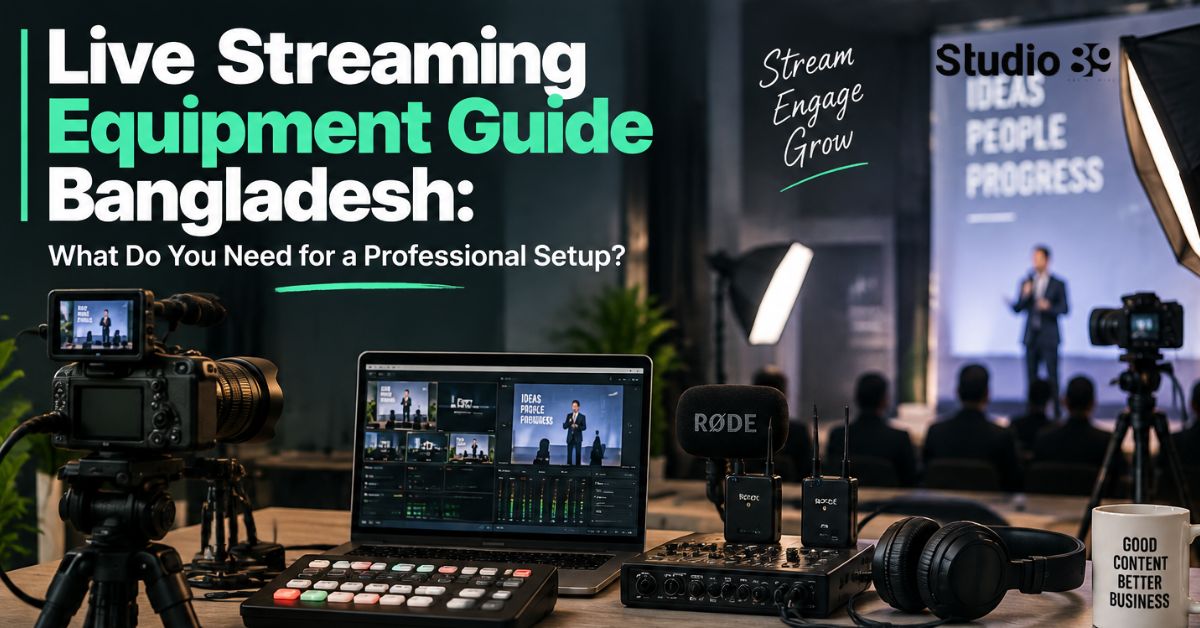
What Equipment Do You Need for Professional Live Streaming Equipment Guide Bangladesh?
A professional live-streaming setup requires a camera, microphone, lighting, video capture or switching system, encoder, stable internet connection, monitoring equipment, local recording and backup power.
This live streaming equipment guide Bangladesh recommends beginning with reliable audio, controlled lighting and stable upload bandwidth before investing in multiple cameras. A clear 1080p or 720p broadcast with clean sound is more professional than an unstable 4K stream.
The minimum professional setup is one reliable camera, one quality microphone, two lights, a capture card or encoder, a capable computer, wired internet and a local backup recording.
What Is Live-Streaming Equipment?
Live-streaming equipment is the hardware and software used to capture, process and transmit real-time video and audio to Facebook Live, YouTube Live, LinkedIn Live or another broadcasting platform.
A basic signal flow looks like this:
Camera and microphone → capture card or switcher → encoder → internet → streaming platform
A professional workflow may add:
- Multiple cameras
- An audio mixer
- Presentation slides
- Corporate graphics
- Backup internet
- Local isolated recordings
- UPS power
- A separate monitoring device
The correct setup depends on the programme not simply the available budget.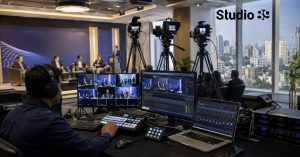
Professional Live-Streaming Equipment Checklist
| Equipment | Main Function | Essential? |
|---|---|---|
| Camera | Captures the video | Yes |
| Microphone | Captures clear dialogue | Yes |
| Lighting | Controls exposure and presentation | Yes |
| Tripod or mount | Keeps framing stable | Yes |
| Capture card | Brings one HDMI camera into a computer | Sometimes |
| Video switcher | Manages multiple cameras and sources | For multi-camera streams |
| Encoder | Compresses and transmits the programme | Yes |
| Streaming computer | Runs software encoding and graphics | For software workflows |
| Wired internet | Sends the stream to the platform | Yes |
| Audio headphones | Monitors sound continuously | Yes |
| Programme monitor | Displays the live output | Recommended |
| Local recording drive | Saves a master recording | Strongly recommended |
| UPS | Protects essential equipment from power failure | Recommended |
| Backup internet | Protects important broadcasts | Recommended |
1. Choose the Right Live-Streaming Camera
The camera is the first component in a live streaming equipment guide Bangladesh, but an expensive cinema camera is not always necessary.
Webcam
A webcam is suitable for:
- One-person streams
- Online classes
- Tutorials
- Simple interviews
- Desk-based programmes
A webcam connects directly through USB and normally does not require a capture card.
Mirrorless or DSLR Camera
A mirrorless camera usually provides:
- Better low-light performance
- Interchangeable lenses
- More control over exposure
- Better background separation
- A more polished image
For example, the Sony α7 IV supports 1080p USB streaming and high-resolution internal recording. When selecting any camera, confirm its continuous-power capability, output format and compatibility with your capture or switching device.
Camcorder
Camcorders are often practical for conferences and longer events because they may provide:
- Long recording times
- Zoom lenses
- Easier continuous power
- Professional audio connections
- HDMI or SDI output
What Should You Check Before Buying a Camera?
Confirm that the camera provides:
- Clean video output without menu icons
- Compatible HDMI or SDI resolution
- Continuous power
- Reliable autofocus or manual-focus control
- Suitable operating temperature
- Matching frame rates
- No restrictive shutdown during long events
For a multi-camera production, match the resolution, frame rate, white balance and exposure across all cameras.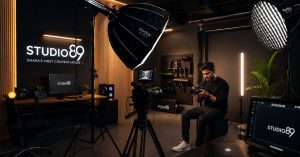
2. Do You Need a Capture Card or Video Switcher?
A capture card and a video switcher perform related but different jobs.
Capture Card
A capture card converts a camera’s HDMI signal into a format the computer recognises.
The Elgato Cam Link 4K is an example of a single-camera capture device. It makes a compatible camera appear to the computer as a USB webcam. Elgato advises connecting it directly rather than through a USB hub for the best performance.
Choose a capture card when:
- You have one HDMI camera
- OBS will handle switching and graphics
- The production is relatively simple
- You want a compact setup
Video Switcher
A video switcher accepts several cameras and allows the operator to select the live angle.
The Blackmagic ATEM Mini Pro ISO includes four HDMI inputs, multiview monitoring, direct streaming, USB recording and isolated recording of its inputs. It also generates a DaVinci Resolve project for faster post-production.
Choose a switcher when:
- Two or more cameras are required
- Presentations must be displayed
- Picture-in-picture is needed
- Graphics or pre-recorded videos will be used
- The programme requires live directing
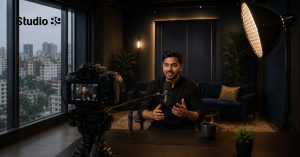 Capture Card vs Switcher
| Requirement | Capture Card | Video Switcher |
|---|---|---|
| One camera | Excellent | More than necessary |
| Multiple cameras | Requires several devices | Designed for this |
| Hardware transitions | No | Yes |
| Multiview | Software-dependent | Usually included |
| Direct hardware streaming | Usually no | Available on some models |
| Isolated recording | Limited | Available on ISO models |
3. Choose Professional Audio Equipment
Audio quality often determines whether viewers can comfortably follow a live programme.
Wireless Lavalier Microphones
Wireless microphones are suitable for:
- Presenters
- Trainers
- Interviews
- Product demonstrations
- Moving speakers
The RØDE Wireless PRO provides two transmitters, on-board 32-bit-float backup recording, timecode support and up to seven hours of operating time. Its internal recording can protect the production when the wireless signal or main recording route experiences a problem.
The DJI Mic 2 is another compact wireless option. DJI lists approximately six hours of transmitter operation under its stated test conditions.
Dynamic or XLR Microphones
XLR microphones are appropriate for:
- Seated presenters
- Podcasts
- Panels
- Studio interviews
- Voice-led broadcasts
They require an audio interface, mixer or switcher with compatible inputs.
Audio Mixer
A mixer combines multiple microphones, playback sources and remote guests.
The RØDECaster Pro II offers four microphone, line or instrument inputs, four headphone outputs, dual USB interfaces, multitrack recording and 48 kHz operation. It is suitable for podcasts, interviews and more complex studio streams.
Essential Audio Accessories
Include:
- XLR or TRS cables
- Lavalier microphones
- Boom arms or stands
- Windscreens
- Closed-back headphones
- Spare batteries
- Backup recorder
- Appropriate adapters
Always monitor the programme through headphones. Audio meters alone cannot reveal hum, distortion, interference or an incorrectly routed channel.
4. Use Controlled Lighting
A high-quality camera cannot compensate for poorly controlled lighting.
A standard three-point arrangement includes:
Key Light
The main light illuminating the presenter.
Fill Light
A softer light reducing excessive facial shadows.
Back Light
A light separating the presenter from the background.
For a simple one-person stream, one soft key light and a reflector may be enough. Interviews and product demonstrations usually benefit from two or three controlled sources.
Studio89’s published rental packages include professional lighting and an acoustically controlled production environment. Its internal brand documentation also references Godox lighting as part of the production ecosystem. Exact fixtures and modifiers should be confirmed for the intended session.
Lighting Equipment Checklist
- LED light
- Softbox or diffusion
- Stable light stand
- Sandbag or stand weight
- Extension cable
- Power adapter
- Reflector
- Background or practical light
Avoid placing an undiffused light directly in front of the speaker’s face.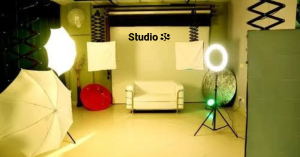
5. Select an Encoder and Streaming Computer
An encoder compresses the video and audio into a format the streaming platform can receive.
Software Encoder
OBS Studio is a widely used software encoder that can manage:
- Cameras
- Capture cards
- Microphones
- Presentation slides
- Screen sharing
- Graphics
- Pre-recorded videos
- Scene switching
Software encoding requires a computer with enough processing capacity for the number of inputs, resolution, graphics and recording tasks.
Hardware Encoder
A hardware encoder performs encoding without relying completely on a general-purpose computer.
YouTube explains that encoder workflows support external cameras, microphones, screen sharing and advanced multi-camera production.
Hardware encoding is useful when:
- Reliability is critical
- The event is long
- Several cameras are involved
- The computer is already handling presentations or graphics
- A simpler dedicated workflow is preferred
Computer Requirements
Prioritise:
- Modern multicore processor
- Hardware video encoding
- Adequate RAM
- Fast SSD storage
- USB 3.x ports
- Gigabit Ethernet
- Reliable cooling
- External display support
Do not assume that a laptop capable of editing video can automatically encode several live sources reliably. Test the complete system under realistic load.
6. How Much Internet Speed Do You Need?
Upload speed—not download speed—is critical.
YouTube currently recommends these H.264 streaming bitrates:
| Resolution | Recommended Video Bitrate |
|---|---|
| 720p at 30 fps | 4 Mbps |
| 720p at 60 fps | 6 Mbps |
| 1080p at 30 fps | 10 Mbps |
| 1080p at 60 fps | 12 Mbps |
YouTube recommends RTMPS, constant bitrate encoding and a two-second keyframe interval. It also advises testing with audio and movement similar to the real event.
YouTube recommends leaving upload-bandwidth headroom rather than using the connection’s full measured capacity. Its current guidance suggests roughly 20% additional room and encourages a backup encoder or network route for important streams.
Practical Internet Checklist
- Use wired Ethernet
- Test upload speed from the actual location
- Restrict guest access to the production network
- Disable unnecessary updates
- Prepare a connection from another provider
- Test the failover process
- Monitor stream health continuously
A stable 720p broadcast is better than a buffering 1080p or 4K stream.
7. Add Local Recording, Backup Power and Redundancy
Professional live streaming should never depend on a single recording or power route.
Prepare:
- Local programme recording
- Camera-level recordings where possible
- Separate audio backup
- Spare HDMI and XLR cables
- Replacement batteries
- UPS for the router, switcher and encoder
- Backup internet
- Backup microphone
- Spare storage media
The ATEM Mini Pro ISO can record the programme and isolated input feeds, which is useful for repairing mistakes or creating edited content after the broadcast.
YouTube also recommends checking that local archive files are actively recording and testing encoder failover before the event.
Redundancy does not eliminate every problem. It gives the team a planned response when something fails.
8. Do You Need Monitoring Equipment?
Yes. The operator must see and hear what viewers are receiving.
Use:
- Closed-back headphones
- Multiview monitor
- Programme monitor
- Audio meters
- Stream-health dashboard
- Separate smartphone or laptop
- Separate internet connection for public monitoring
The ATEM Mini Pro series provides multiview for cameras, programme, preview, audio, recording and streaming status.
Monitor the public stream from a separate device. The encoder preview alone does not confirm that viewers are receiving synchronized audio and stable video.
Recommended Live-Streaming Setups
Starter One-Person Setup
Best for tutorials, classes and simple creator streams:
- 1080p webcam
- USB microphone
- Two LED lights
- Laptop or desktop
- OBS Studio
- Wired Ethernet
- Headphones
- Local recording
Professional Creator Setup
Best for interviews, product demonstrations and branded streams:
- Sony α7 IV or another compatible mirrorless camera
- Elgato Cam Link 4K
- RØDE Wireless PRO or DJI Mic 2
- Two soft LED lights
- OBS Studio
- Capable computer
- Ethernet connection
- Backup mobile router
- External SSD
- UPS
Multi-Camera Professional Setup
Best for corporate events, panels and product launches:
- Two to four matching cameras
- Blackmagic ATEM Mini Pro ISO
- RØDECaster Pro II or venue audio-mixer feed
- RØDE Wireless PRO and backup microphone
- Professional LED lighting
- Multiview monitor
- Programme monitor
- Wired primary internet
- Backup connection from another provider
- UPS
- Local programme and isolated recordings
- Dedicated technical operator
These are example configurations, not mandatory bundles. Compatibility should be tested before buying or renting equipment.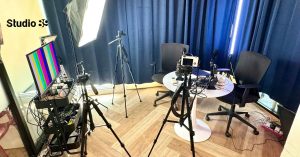
How Much Does Professional Live-Streaming Equipment Cost?
A complete purchase price varies significantly according to:
- Camera count
- Lens selection
- Microphone system
- Capture or switching hardware
- Computer specification
- Lighting
- Internet redundancy
- Recording storage
- Backup power
Because Bangladesh retail prices, import costs and availability change, verify current prices with authorised or established local sellers before purchasing.
Buying vs Renting
| Factor | Buying Equipment | Renting a Studio |
|---|---|---|
| Initial commitment | High | Lower per session |
| Maintenance | Your responsibility | Usually handled by provider |
| Setup time | Must build everything | Production environment is prepared |
| Flexibility | Full ownership | Package-dependent |
| Best for | Frequent recurring streams | Occasional or campaign-based streams |
| Technical support | Requires internal skills | May be available |
Studio89 currently publishes Professional Studio Rental at:
- 1 hour: Tk 3,000
- 2 hours: Tk 5,000
- 3 hours: Tk 6,000
- Full day: Tk 18,000
The studio lists professional lighting, acoustic control, cameras, audio gear and backdrops among its production facilities. Studio89 also lists Live Streaming Solutions for brand launches and corporate events, although a dedicated public live-streaming package price is not currently displayed. Request a custom scope for cameras, crew, platform, internet and recording requirements.
How to Choose Your Equipment Step by Step
Step 1: Define the Programme
Decide whether you are streaming:
- A solo presentation
- An interview
- A panel
- A product launch
- A corporate event
- A podcast
- A training programme
Step 2: Count the Sources
List every source:
- Cameras
- Microphones
- Presentation laptop
- Remote guest
- Pre-recorded video
- Graphics
Step 3: Choose the Output
Confirm:
- Platform
- Resolution
- Frame rate
- Orientation
- Latency
- Recording requirements
Step 4: Design the Audio Route
Decide where each microphone connects and who monitors it.
Step 5: Test the Internet
Test the primary and backup connections from the actual venue.
Step 6: Add Redundancy
Protect the most important failure points:
- Internet
- Audio
- Recording
- Power
- Cables
Step 7: Run a Full Rehearsal
Test the programme from the opening countdown through the final closing screen.
Common Live-Streaming Equipment Mistakes
Avoid:
- Buying a camera without checking its output
- Using Wi-Fi when wired internet is available
- Depending on a camera’s built-in microphone
- Mixing cameras with different frame rates
- Forgetting continuous camera power
- Using low-quality HDMI adapters
- Connecting capture devices through weak USB hubs
- Failing to monitor audio
- Recording only on the platform
- Ignoring backup internet
- Skipping a full rehearsal
- Choosing 4K when the connection cannot support it
The best live streaming equipment guide Bangladesh is not the one with the longest shopping list. It is the one that builds a stable, testable signal chain.
Why Consider Studio89 for Professional Live Streaming?
Studio89 is located at 2/2 Pallabi, Dhaka 1216 and offers Professional Studio Rental, Podcast Production, content production and Live Streaming Solutions. The website positions the studio as a production-ready environment for creators, brands, educators and live streamers.
Studio89’s current studio facilities include professional lighting, acoustic control, cameras, audio equipment and flexible production support. Its podcast packages also identify RØDE professional audio and multi-camera production. Exact cameras, switchers, encoders, internet redundancy and crew roles should be confirmed for each live-stream project.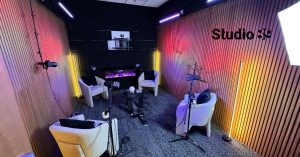
Final Recommendation
This live streaming equipment guide Bangladesh can be reduced to seven priorities:
- Capture a stable image
- Record clear audio
- Control the lighting
- Use the correct capture or switching system
- Encode at a sustainable bitrate
- Protect the internet and power
- Record a local master
Start with the equipment required by the programme not the largest gear list you can afford.
For an occasional broadcast, Professional Studio Rental may be more practical than buying cameras, audio, lights, switching hardware and backup systems separately. For recurring production, build a tested modular setup and document every connection.
FAQ Section
What Equipment Do I Need to Start Live Streaming?
You need a camera, microphone, lighting, encoder, streaming device and stable internet connection. A professional setup should also include headphones, local recording, wired Ethernet, backup power and a second internet option.
Do I Need a Capture Card for Live Streaming?
You need a capture card when connecting an HDMI camera to a computer that cannot accept HDMI video directly. USB webcams do not usually need one. Multi-camera productions may be easier to manage with a dedicated video switcher.
What Is the Best Camera for Professional Live Streaming?
The best camera is one with clean output, continuous power, reliable operation and compatibility with the selected capture device. Mirrorless cameras such as the Sony α7 IV can support high-quality studio workflows, but camcorders may be more practical for long events.
Is OBS Enough for Professional Live Streaming?
OBS can support professional streaming when the computer, capture hardware, audio routing and internet connection are reliable. High-risk events may benefit from a hardware switcher, hardware encoder, backup computer or separate recording system.
What Internet Speed Is Required for 1080p Streaming?
YouTube currently recommends approximately 10 Mbps H.264 video bitrate for 1080p at 30 fps and 12 Mbps for 1080p at 60 fps. Your tested upload capacity should exceed the streaming bitrate and leave operational headroom.
What Microphone Is Best for Live Streaming?
A wireless lavalier is practical for moving presenters, while an XLR dynamic microphone is suitable for seated interviews and podcasts. The best option depends on movement, room noise, speaker count and the available mixer or audio interface.
Do I Need a Video Switcher for One Camera?
No. A single camera can normally connect through a capture card. A switcher becomes useful when you need multiple cameras, presentations, pre-recorded clips, picture-in-picture layouts or hardware transitions.
Is It Better to Buy Live-Streaming Equipment or Rent a Studio?
Buying is practical for frequent, repeatable streaming. Renting is usually more efficient for occasional broadcasts because it reduces equipment, maintenance, setup and space requirements. Studio89’s Professional Studio Rental currently starts at Tk 3,000 for one hour.
How Much Does a Professional Live Stream Cost in Dhaka?
The cost depends on cameras, crew, event duration, audio, internet, graphics, recording and post-production. Studio89 lists Live Streaming Solutions but does not currently publish a fixed dedicated live-stream package price, so a custom quotation is required.
About Studio89
Studio89 is Dhaka’s First-Ever Content House, offering professional studio rental, podcast production, product photography and videography, online video commercial production, personal branding, video resume solutions, and 360° marketing services. Based in Dhaka, Bangladesh, Studio89 helps brands, CEOs, founders, creators, e-commerce businesses, and professionals create strategy-led content for digital platforms.

2 Comments
[…] Live streaming […]
[…] Live streaming […]