
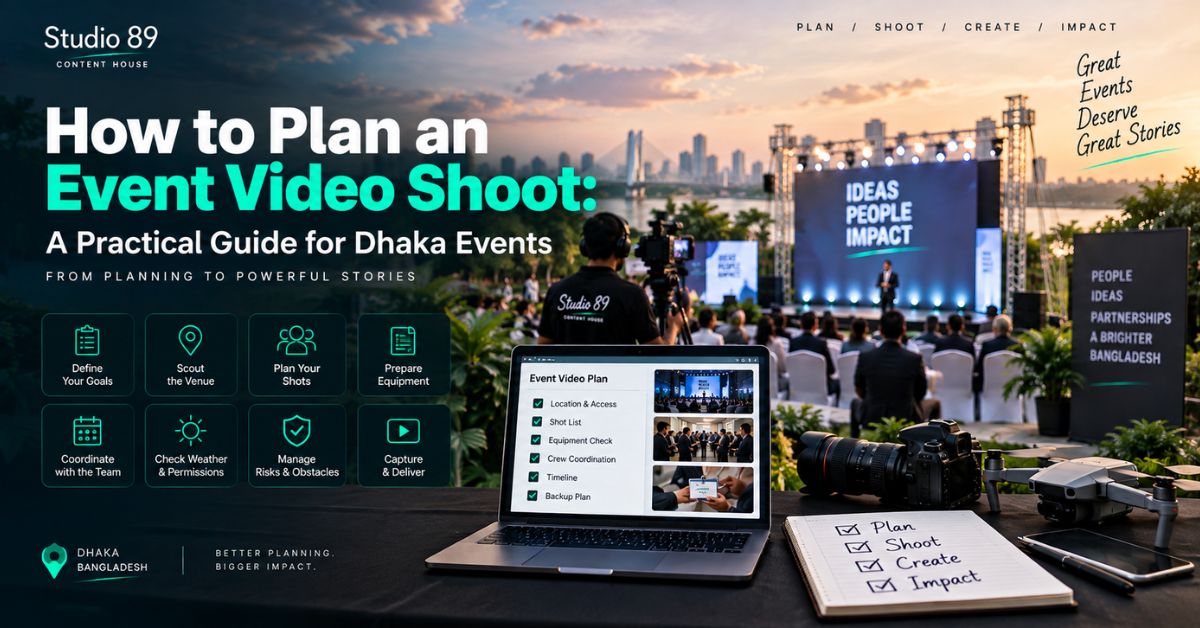
Learning how to plan an event video shoot starts long before the event begins. Whether you are organizing a corporate conference in Gulshan, a seminar in Dhanmondi, a product launch in Banani, or a creator gathering in Mirpur, a clear production plan helps your crew capture the moments that matter.
You need to know what to film, when important moments happen, how audio will be recorded, where cameras can operate, and which finished videos you need.
To understand how to plan an event video shoot, define the video’s purpose, create a run of show and shot list, choose the crew and cameras, arrange reliable audio, coordinate with the venue, prepare backups, and agree on editing and deliverables before event day.
What Does It Mean to Plan an Event Video Shoot?
Knowing how to plan an event video shoot means organizing everything required to capture a live event and turn its footage into usable content.
Unlike a studio production, a live event cannot always be paused or repeated. A missed product reveal, award presentation, or keynote announcement may be impossible to recreate.
An event video plan should cover three stages:
|
Stage |
Main Responsibility |
|---|---|
|
Pre-production |
Objectives, schedule, crew, shot list, venue, equipment |
|
Production |
Cameras, audio, interviews, B-roll, backups |
|
Post-production |
Editing, reviews, exports, delivery, archive |
The key is to plan backward from the finished video rather than forward from the camera equipment.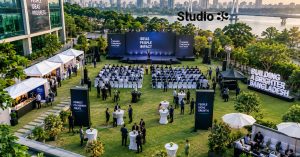
Why Should You Plan Your Event Video Before Booking a Crew?
A practical approach to how to plan an event video shoot begins with the final audience.
A conference organizer may need complete keynote recordings. A brand may want a 90-second highlight video. A sponsor may require proof of its branding. A YouTuber may want interviews and educational clips.
Those are different production requirements.
If the final deliverables are unclear, even an experienced camera team may capture attractive footage that does not meet the organizer’s actual needs.
Step 1: Define Your Video Objective
The first step in how to plan an event video shoot is deciding what the video must accomplish.
Choose a primary objective:
-
Document the complete event
-
Promote the next event
-
Build brand awareness
-
Record educational presentations
-
Create social-media content
-
Capture customer testimonials
-
Support sponsor reporting
-
Produce internal corporate communication
For example, a product-launch recap needs product close-ups and audience reactions. A training conference needs uninterrupted speaker footage and clear audio.
Write one sentence describing the outcome:
“We need a two-minute event recap and three vertical clips for our social-media channels.”
That statement gives the production team a clear direction.
Step 2: Create an Event Run of Show
Anyone learning how to plan an event video shoot should prepare a run of show.
A run of show is a detailed event timeline identifying what happens, when it happens, where it happens, and who is responsible.
Example event video run sheet
|
Time |
Activity |
Video Requirement |
|---|---|---|
|
9:00 AM |
Venue preparation |
Exterior and setup B-roll |
|
9:30 AM |
Registration |
Arrivals, signage, networking |
|
10:00 AM |
Opening |
Wide stage and speaker close-up |
|
10:30 AM |
Keynote |
Uninterrupted recording and audio |
|
11:30 AM |
Panel |
Multiple speakers and audience |
|
12:30 PM |
Networking |
Interviews and reaction shots |
|
2:00 PM |
Product reveal |
Product, stage, audience response |
|
3:30 PM |
Closing |
Final speech and group footage |
Assign one organizer as the production contact. That person should notify the crew when the schedule changes.
Step 3: Build a Priority Shot List
A major part of how to plan an event video shoot is deciding which shots are essential.
Your shot list should distinguish between must-have footage and optional creative footage.
Must-have shots
-
Venue exterior
-
Event signage
-
Registration
-
Opening speaker
-
Main keynote
-
Important presentation slides
-
Product or award reveal
-
Sponsor branding
-
Closing remarks
Supporting B-roll
B-roll is extra footage used to support the main story.
Capture attendee conversations, applause, networking, exhibition booths, event materials, food service, reactions, and behind-the-scenes preparation.
Expert tip: If a particular person, sponsor, or product must appear in the final edit, identify them by name or location in the shot list. Do not rely on the camera operator recognizing them.
Step 4: Choose the Right Camera Setup
When deciding how to plan an event video shoot, choose cameras based on simultaneous activity.
|
Camera Setup |
Practical Use |
Trade-off |
|---|---|---|
|
One camera |
Small gathering or simple recap |
Limited coverage of simultaneous moments |
|
Two cameras |
Keynote, seminar, interview |
More angles; additional operator may be needed |
|
Three or more |
Conference, awards, panel sessions |
Greater flexibility; more crew and editing work |
A useful conference setup may include one fixed wide camera and another for speaker close-ups. Larger events may need a camera for audience reactions.
For a networking event, a mobile operator may be more useful than several fixed cameras.
The right number of cameras depends on what must happen on screen at the same time.
Step 5: Plan Audio Separately
Clear sound is essential when learning how to plan an event video shoot.
A beautiful keynote recording is difficult to use if the speaker cannot be understood.
Coordinate with the venue’s audiovisual (AV) team and discuss:
-
Access to the venue’s audio mixer
-
Microphone type
-
Number of simultaneous speakers
-
Audio-feed format
-
Dedicated audio recording
-
Backup audio
-
Sound checks
Do not assume the sound heard through the venue speakers will automatically be captured clearly by the camera.
For important speeches, discuss a secondary recording method with the production team.
Step 6: Confirm Venue Access and Camera Positions
For Dhaka organizers, how to plan an event video shoot also means planning around the actual venue.
Arrange a site visit or technical call to check camera positions, lighting, access doors, power outlets, cable routes, the AV desk, speaker movement, restricted areas, and available setup time.
Ask the venue whether tripods can remain in aisles and whether additional lights are permitted.
If interviews are planned, identify a quieter area away from the stage.
For a large event with simultaneous breakout sessions, assign coverage priorities or separate operators before the event begins.
Step 7: Plan Interviews and Testimonials
An effective approach to how to plan an event video shoot includes short interviews when they support the final objective.
Possible subjects include organizers, speakers, sponsors, customers, attendees, or executives.
Prepare three or four questions, such as:
-
What is the purpose of today’s event?
-
What was the most important takeaway?
-
Why does this topic matter?
-
What should attendees do next?
Schedule interviews instead of hoping the right person will be free.
Obtain appropriate recording and publication permission, particularly when identifiable people will appear in public-facing promotional content.
Step 8: Prepare Equipment and Backups
Good preparation for how to plan an event video shoot includes checking equipment before arriving.
The camera team should account for:
-
Charged batteries
-
Spare batteries
-
Recording media
-
Tripods and stabilizers
-
Microphones
-
Audio cables and adapters
-
Headphones
-
Power supplies
-
Backup recording options
-
Storage and file-transfer arrangements
If the event is outdoors, also plan for weather and safe equipment protection.
The organizer should confirm which equipment is included in the agreed quotation rather than assume every item comes with the basic package.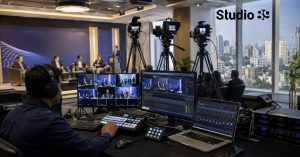
Step 9: Agree on Deliverables Before Filming
An often-missed part of how to plan an event video shoot is the final delivery agreement.
One event can generate multiple videos.
|
Deliverable |
Typical Purpose |
|---|---|
|
Highlight film |
Public event recap |
|
Full keynote |
YouTube or internal archive |
|
Individual speaker videos |
Educational content |
|
Vertical Reels |
Facebook, Instagram, Shorts |
|
Executive interview |
Corporate branding |
|
Sponsor montage |
Sponsor reporting |
|
Raw footage |
Future editing |
Specify approximate duration, aspect ratio, subtitles, branding, music, revision rounds, deadlines, raw-footage terms, and usage rights.
A request for a highlight film is not automatically a request for full-session recordings or every raw camera file.
Step 10: Build a Realistic Production Budget
Budget planning is another part of how to plan an event video shoot.
Include event hours, camera operators, audio recording, venue requirements, transport, equipment, interviews, editing, graphics, subtitles, delivery formats, overtime, and contingency.
Avoid comparing quotations that include different deliverables.
A single-camera quote for a short recap is not directly comparable with a multi-camera package covering full speeches and social clips.
For current Bangladesh pricing examples and the factors behind different quotations, read Event Videography Cost Bangladesh.
What Should Happen on Event Day?
On event day, the final check for how to plan an event video shoot is operational readiness.
Before guests arrive
-
Confirm the latest run of show.
-
Meet the organizer and AV contact.
-
Check camera positions.
-
Test every audio source.
-
Record short test clips.
-
Confirm the priority shot list.
-
Check interview timing.
-
Verify available storage and power.
-
Agree on a communication method.
During the event, one designated person should inform the crew of schedule changes.
Afterward, the production team should account for footage and recording media before leaving the venue.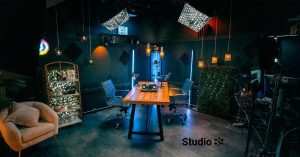
How Should Post-Production Be Planned?
Understanding how to plan an event video shoot also means planning what happens after filming.
An effective post-production workflow includes footage organization, audio synchronization, selecting key moments, assembling the first edit, adding branding, reviewing the cut, making agreed revisions, and exporting final files.
Specify who gives feedback. If five stakeholders provide contradictory instructions separately, revisions can become unnecessarily difficult.
Choose one client-side approval contact and agree on a feedback deadline.
Should You Use a Studio or Film at the Event Venue?
For live coverage, how to plan an event video shoot normally involves filming on location. A studio supports complementary content rather than replacing event footage.
|
On-Location Coverage |
Studio Production |
|---|---|
|
Live speeches |
Pre-event CEO message |
|
Audience reactions |
Presenter introduction |
|
Product reveal |
Controlled product demonstration |
|
Networking |
Sponsor interview |
|
Awards and atmosphere |
Post-event analysis |
Studio89’s Professional Studio Rental can support event-related interviews, promotional videos, and announcements.
Its currently published rental packages are Tk 3,000 for one hour, Tk 5,000 for two hours, Tk 6,000 for three hours, and Tk 18,000 for a full day. These are studio rental prices, not an event-videography quotation. Confirm current availability and inclusions before booking.
For conversation-led event content, Podcast Production can also provide a controlled setting for a longer speaker or founder discussion.
Common Event Video Planning Mistakes
Even after learning how to plan an event video shoot, organizers can overlook small details that affect the finished result.
Common mistakes include giving the crew an outdated schedule, failing to arrange a speaker audio feed, missing sponsor shots, booking too few operators, forgetting vertical content, scheduling interviews during keynotes, leaving raw-footage terms unclear, and requesting urgent edits without prior agreement.
The simplest prevention is to share one approved production brief with the organizer, venue AV contact, and video team.
How Studio89 Fits Into Your Event Content Plan
Studio89’s main Event Videography Dhaka guide explains coverage types, audio, cameras, B-roll, deliverables, and the differences between event and corporate-video production. It is the relevant next resource when you are moving from planning to arranging coverage.
You can also review Studio89 services, compare Studio89 packages, inspect the Studio89 gallery, and use the Studio89 contact page to discuss your project.
Studio89 does not currently publish a dedicated event-videography package on its main service index. Confirm on-location coverage availability, crew, equipment, editing, and pricing for the specific event.
Final Thoughts: How to Plan an Event Video Shoot Successfully
The most useful lesson in how to plan an event video shoot is to plan for the finished content before arranging the filming.
Define the objective, build the run of show, prioritize the shots, protect the audio, choose the right crew, and agree on deliverables.
When those decisions are made early, your team has a clearer path to turning a one-day event into content that can support the brand long after the venue closes.
FAQ Section
These questions reflect common search themes. Exact Google People Also Ask results vary by location and time.
How to Plan an Event Video Shoot for a Corporate Event?
To understand how to plan an event video shoot for a corporate event, first define the purpose and deliverables. Prepare a run of show, priority shot list, camera and audio plan, venue arrangements, crew responsibilities, backup equipment, editing timeline, and approval process.
How Early Should You Plan Event Videography?
Begin once the event date, venue, core schedule, and objectives are reasonably clear. A complex conference or multi-camera production needs more coordination than a short event recap. Confirm actual booking lead times with the provider.
What Should Be Included in an Event Video Shot List?
Include venue establishing shots, event branding, registration, key speakers, audience reactions, sponsor requirements, product or award moments, networking, interviews, and closing footage. Mark mandatory shots separately from optional B-roll.
How Many Cameras Are Needed for an Event Video Shoot?
A small event may need one camera. Two cameras offer more flexibility for speakers, and larger conferences or simultaneous activities may require three or more. Choose according to the event schedule and final deliverables.
How Much Does an Event Video Shoot Cost in Bangladesh?
There is no universal price. Cost depends on duration, crew, cameras, audio, venue, editing, Reels, graphics, raw footage, and turnaround. Request an itemized quotation with clearly defined deliverables.
Do I Need a Separate Audio Recorder?
Not always, but important speeches require a reliable audio plan. Discuss access to the venue mixer, microphones, recording devices, and a backup with the videographer and AV team.
Can One Event Shoot Produce Reels and a Full Video?
Yes. Plan the formats before filming so the team can capture suitable footage for the highlight film, full-session recordings, and vertical social clips.
Is Professional Studio Rental Needed for Event Coverage?
Usually not for the live event itself. A studio can be useful for pre-event promotions, interviews, sponsor videos, and post-event commentary.
About Studio 89
Studio89 is Dhaka’s First-Ever Content House, offering professional studio rental, podcast production, product photography and videography, online video commercial production, personal branding, video resume solutions, and 360° marketing services. Based in Dhaka, Bangladesh, Studio89 helps brands, CEOs, founders, creators, e-commerce businesses, and professionals create strategy-led content for digital platforms.
