
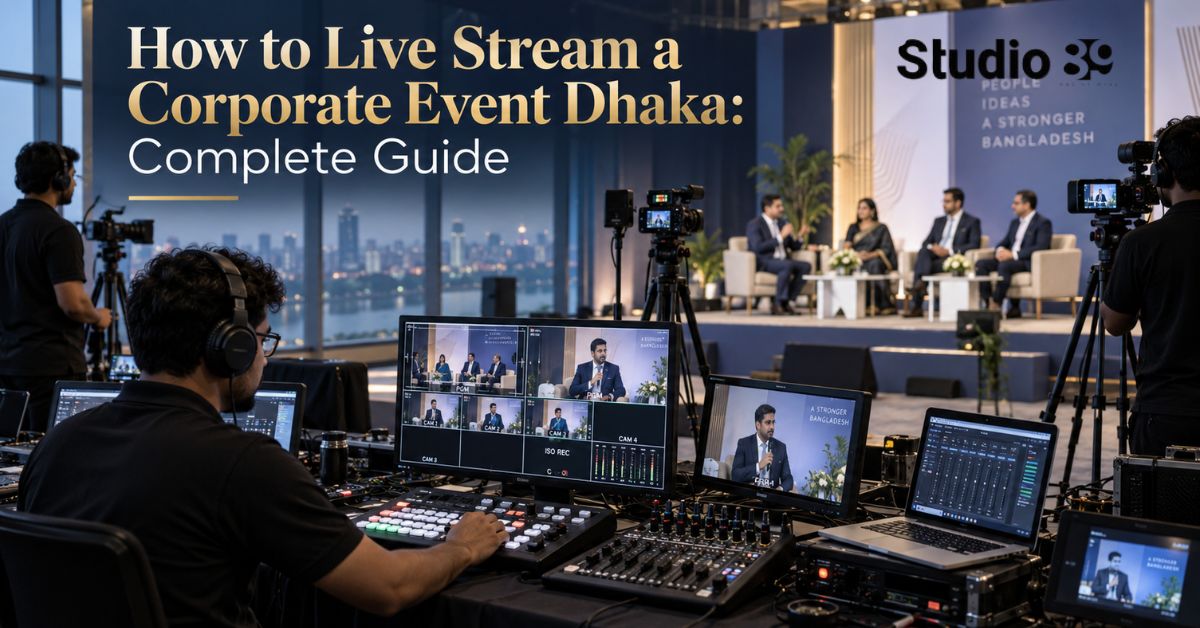
How Do You Live Stream a Corporate Event Dhaka?
To live stream corporate event Dhaka successfully, choose the platform first, inspect the venue, secure dedicated upload bandwidth, prepare backup internet and power, connect professional cameras and audio to an encoder, test the complete workflow and monitor the broadcast from a separate device.
For most corporate events, a reliable 1080p or 720p stream with clean audio is more valuable than an unstable higher-resolution broadcast. The production plan should also include local recording so the event remains usable even if the live connection fails.
Build the live stream around redundancy. One internet connection, one recording device or one untested audio feed creates unnecessary risk.
What Is Corporate Event Live Streaming?
Corporate event live streaming is the real-time online broadcast of a business event through a platform such as YouTube, Facebook, LinkedIn or a private webinar system.
It may be used for:
- Conferences
- Product launches
- Annual meetings
- Panel discussions
- Award ceremonies
- Training programmes
- Press conferences
- Town halls
- Investor communication
- Corporate celebrations
- Hybrid events
A professional live stream corporate event Dhaka workflow combines event videography, audio engineering, internet delivery, platform management, graphics, recording and audience moderation.
It is more complex than pointing a phone at a stage and pressing “Go Live.”
Step 1: Define the Purpose of the Live Stream
Before live stream corporate event Dhaka choosing equipment, clarify why the event is being streamed.
Possible objectives include:
- Reaching people outside Dhaka
- Giving remote employees access
- Generating registrations or leads
- Launching a product
- Building executive authority
- Creating an archived event recording
- Engaging customers in real time
- Supporting press and stakeholder communication
Your objective affects:
- Platform choice
- Privacy
- Camera count
- Audio setup
- Graphics
- Audience interaction
- Recording requirements
- Reporting
A public product launch and a confidential employee town hall should not use the same distribution setup.
Step 2: Choose the Right Streaming Platform
The best live stream corporate event Dhaka platform depends on the audience, event type and access requirements.
| Platform | Best For | Important Consideration |
|---|---|---|
| YouTube Live | Public conferences, product launches and long events | Strong viewer accessibility and encoder support |
| Facebook Live | Community-facing events and existing Facebook audiences | Page and account eligibility must be confirmed |
| LinkedIn Live | B2B events, leadership panels and corporate communication | Broadcaster eligibility and scheduling are required |
| Private webinar platform | Internal meetings and restricted events | Better access control |
| Multi-platform distribution | Public events with audiences across networks | Requires extra bandwidth or a cloud restreaming service |
YouTube Live
YouTube allows an encoder to use external cameras, microphones, screen sharing and more advanced multi-camera production. Enabling live streaming for the first time may take up to 24 hours, so it should not be left until event day.
Facebook Live
Facebook allows streaming through software using a server URL and stream key. Its current eligibility rules state that an account must be at least 60 days old, and a Page or professional-mode profile needs at least 100 followers. live stream corporate event Dhaka. Page access or content task access is also required.
LinkedIn Live
LinkedIn Live suits corporate and professional audiences, but eligible broadcasters must use a third-party tool or a custom RTMP workflow. Since June 22, 2026, LinkedIn requires live events to be scheduled in advance, although they can be scheduled only minutes before the broadcast.
Best live stream corporate event Dhaka Recommendation
Choose:
- YouTube for wide public accessibility and long-form viewing
- Facebook when the business already has an active Facebook community
- LinkedIn for CEOs, B2B audiences and professional events
- A restricted platform when privacy and attendee control are priorities
 Step 3: Inspect the Venue Before the Event
A venue inspection is essential when planning to live stream corporate event Dhaka.
Check:
- Available wired internet
- Actual upload speed
- Mobile-network strength
- Power outlets
- Stage lighting
- Camera positions
- Cable routes
- Audio-mixer access
- Noise sources
- Audience movement
- Control-room space
- Distance between stage and production desk
- Permission for tripods and cables
Do not rely only on the venue’s claim that Wi-Fi is available.
Run upload tests from the exact location where the encoder will operate. live stream corporate event Dhaka repeat the test at a similar time of day because shared venue networks may behave differently when more people are connected.
Step 4: Calculate the Upload Bandwidth
The encoder sends a compressed video feed to the selected platform. live stream corporate event Dhaka. The bitrate determines how much upload capacity the stream consumes.
YouTube currently recommends an H.264 bitrate of approximately:
| YouTube Setting | Recommended H.264 Bitrate |
|---|---|
| 720p at 30 fps | 4 Mbps |
| 720p at 60 fps | 6 Mbps |
| 1080p at 30 fps | 10 Mbps |
| 1080p at 60 fps | 12 Mbps |
YouTube recommends testing the upload connection, using a two-second keyframe interval and monitoring stream health throughout the event.
LinkedIn recommends at least 10 Mbps of upload speed. Its recommended live encoder setting is 720p at 30 fps with a 3.5 Mbps video bitrate, while 1080p is the maximum supported resolution.
Facebook’s published live guidance recommends 1080p at 30 fps, a video bitrate between 3,000 and 6,000 Kbps and a two-second keyframe interval.
Practical Bandwidth Rule
For operational safety, plan for at least twice the stream bitrate as stable, dedicated upload capacity.
Example:
- Encoder bitrate: 6 Mbps
- Preferred dedicated upload capacity: at least 12 Mbps
- Better operational target: 15–20 Mbps
- Separate backup connection: available and tested
This extra headroom helps accommodate fluctuations, audio traffic and network instability. It is a production recommendation, not a platform requirement.
Step 5: Build Internet Redundancy
Internet failure is one of the largest risks in a live stream corporate event Dhaka setup.
Use:
Primary Connection
Prefer a dedicated wired connection from the venue or a temporary business-grade internet line.
Backup Connection
Arrange a connection from a different provider or network path, such as:
- A second broadband provider
- A 4G or 5G router
- Bonded cellular connections
- A cloud or hardware failover system
Using two connections from the same provider may not offer meaningful redundancy if both rely on the same upstream infrastructure.
Recommended Network Checklist
- Disable unnecessary device updates
- Remove guest access from the production network
- Use Ethernet instead of Wi-Fi for the encoder
- Test the backup connection
- Keep router and modem power protected
- Confirm mobile data balance and limits
- Assign one person to monitor stream health
Never wait for the primary connection to fail before learning how to activate the backup.
Step 6: Choose the Camera Setup
One-Camera Setup
A one-camera stream may work for:
- A single speaker
- A short presentation
- A small training session
- A limited budget
Its main weakness is visual monotony. live stream corporate event Dhaka. The operator also has little flexibility if the speaker moves or a slide needs to be shown.
Two-Camera Setup
A two-camera production is a practical minimum for many corporate events.
Use:
- Camera 1: wide stage or panel shot
- Camera 2: speaker close-up
This allows the director to switch angles during transitions or technical adjustments.
Three-Camera Setup
A three-camera system is suitable for:
- Panel discussions
- Product launches
- Award ceremonies
- Larger conferences
- Audience interaction
A typical arrangement is:
- Wide stage view
- Speaker or presenter close-up
- Panel, audience or alternate angle
Camera Requirements
Consider:
- Clean HDMI or SDI output
- Continuous power
- Matching resolution and frame rate
- Tripods
- White-balance consistency
- Exposure control
- Long recording capability
- Cable security
The best live stream corporate event Dhaka setup is not always the one with the most cameras. It is the system the crew can operate reliably.
Step 7: Use a Video Switcher or Encoder
An encoder converts the programme feed into a stream that the platform can receive.
You may use:
- Software such as OBS
- A hardware video switcher
- A dedicated streaming encoder
- A cloud production platform
A professional workflow may connect:
Cameras → Video switcher → Encoder → Internet → Streaming platform
The switcher may also manage:
- Camera changes
- Presentation slides
- Pre-recorded videos
- Sponsor graphics
- Lower thirds
- Countdown screens
- Picture-in-picture layouts
Keep the stream key private. live stream corporate event Dhaka. YouTube describes the stream key as the credential that tells the encoder where to send the feed, while Facebook warns that anyone with the key may stream to the associated broadcast.
Step 8: Prioritize Professional Audio
Viewers may live stream corporate event Dhaka accept a simple camera angle, but unclear dialogue can make a corporate event difficult to follow.
The live-stream team should receive a clean audio feed from the venue’s sound mixer.
The audio plan may include:
- Lectern microphone
- Wireless lapel microphone
- Handheld microphones
- Panel microphones
- Presentation playback
- Audience question microphone
- Backup microphone
- Ambient room microphones
Recommended Audio Workflow
- Take a dedicated feed from the venue mixer.
- Monitor it through closed-back headphones.
- Check every speaker before the event.
- Confirm presentation-video audio.
- Maintain a backup recording.
- Assign one operator to audio monitoring.
Do not use the camera’s built-in microphone as the primary audio source for a professional corporate broadcast.
Step 9: Add Corporate Graphics
Professional graphics help viewers understand the event.
Prepare:
- Event title
- Company logo
- Speaker names
- Job titles
- Session titles
- Sponsor identification
- Presentation slides
- Countdown screen
- Break screen
- Closing screen
- Emergency holding slide
Keep graphics simple and readable on mobile devices.
Confirm names, titles and sponsor logos before event day. live stream corporate event Dhaka. Last-minute spelling corrections can create unnecessary pressure during a live broadcast.
Step 10: Plan Power Redundancy
A stable internet connection cannot protect a stream if the encoder loses power.
Protect essential equipment with:
- UPS backup
- Fully charged camera batteries
- Continuous camera power
- Backup power adapters
- Protected extension boards
- Venue generator coordination
- Spare cables and chargers
Prioritize backup power for:
- Encoder computer
- Internet router or modem
- Video switcher
- Audio interface
- Main monitoring display
Test how long the UPS can support the actual production load.
Step 11: Record the Event Locally
Always record a high-quality local version when you live stream corporate event Dhaka.
Local recording protects the project when:
- The internet fails
- The platform reduces quality
- Audio briefly drops online
- The stream is interrupted
- The client needs an edited version
- Highlights and Reels are required later
Where possible, record:
- The switched programme output
- Isolated camera feeds
- Separate audio tracks
- Presentation slides
- A backup audio recording
The online stream is one deliverable. The local master recording is a separate safety asset.
Step 12: Run a Full Technical Rehearsal
YouTube recommends testing with audio and movement similar to the real event and monitoring stream health during the broadcast.
A proper rehearsal should include:
- Every camera
- Every microphone
- Slide playback
- Embedded videos
- Remote speakers
- Lower-third graphics
- Platform login
- Stream key
- Primary internet
- Backup internet
- Local recording
- Power backup
- Audience comments
- End-of-stream procedure
Do not perform only a five-second test from an empty venue.
Rehearse the actual opening sequence, speaker entrance, presentation playback and camera transitions.
Step 13: Assign Clear Crew Roles
A professional stream should not depend on one person doing everything.
| Crew Role | Main Responsibility |
|---|---|
| Producer | Client coordination and run-of-show |
| Director or switcher operator | Selects programme shots |
| Camera operators | Maintain framing and focus |
| Audio operator | Monitors microphones and programme sound |
| Streaming technician | Encoder, platform and network management |
| Graphics operator | Slides, names and branding |
| Moderator | Comments, questions and audience issues |
| Production assistant | Cables, batteries and coordination |
Small events may combine roles, but responsibilities should still be assigned in advance.
Step 14: Monitor the Public Stream Separately
The encoder preview does not confirm what remote viewers are receiving.
Use a separate:
- Smartphone
- Laptop
- Tablet
- Internet connection
Monitor:
- Audio-video synchronization
- Playback quality
- Buffering
- Public comments
- Incorrect titles
- Graphic errors
- Platform notifications
Mute the monitoring device or use headphones to prevent feedback.
LinkedIn also recommends using a separate device to view the live stream and assigning someone to comment moderation.
Step 15: Create a Failure Response Plan
Decide what the team will do when something fails.
When the Main Internet Fails
- Activate backup internet
- Reduce bitrate if necessary
- Keep local recording running
- Display a holding graphic
- Update the client
When One Camera Fails
- Switch to another angle
- Replace the battery, cable or feed
- Keep the programme live
When Audio Fails
- Switch to the backup microphone
- Check the venue mixer feed
- Use the emergency audio route
When the Platform Fails
- Continue local recording
- Move to the backup platform where practical
- Communicate through the event’s official channel
A failure plan should be written into the production run sheet.
How Much Does Corporate Event Live Streaming Cost in Dhaka?
There is no dependable standard price because the cost depends on:
- Event duration
- Venue
- Camera count
- Number of operators
- Audio requirements
- Graphics
- Internet installation
- Backup connectivity
- Power backup
- Platform count
- Local recording
- Editing and highlight videos
- Travel and setup time
Studio89’s current public package page lists Professional Studio Rental from Tk 3,000 per hour, including professional lighting and acoustic control. However, the current package page does not publish a dedicated corporate live-streaming rate, so businesses should request a custom quotation for event streaming.
A complete quotation should clearly state:
- Number of cameras
- Production hours
- Setup and rehearsal time
- Crew size
- Internet responsibilities
- Backup systems
- Platform destinations
- Recording deliverables
- Editing
- Transport
- Overtime
Do not compare suppliers only by the cheapest camera package. live stream corporate event Dhaka. Network redundancy, audio, monitoring and experienced technical operation are central to the result.
Live Streaming In-House vs Hiring a Production Team
| Factor | In-House Setup | Professional Production Team |
|---|---|---|
| Initial cost | Equipment and training required | Project-based quotation |
| Technical control | Managed internally | Managed by specialists |
| Internet planning | Internal responsibility | Can be included in production planning |
| Multi-camera switching | Requires equipment and experience | Production-ready workflow |
| Failure response | Depends on internal skills | Dedicated technical roles |
| Best for | Frequent simple internal events | Public, branded or high-risk events |
Choose In-House When:
- The event is small
- One camera is sufficient
- The company streams frequently
- Technical staff are available
- The broadcast is low risk
Hire a Production Team When:
- Senior executives are appearing
- The event is public
- Multiple cameras are required
- Sponsors are involved
- The stream supports a launch
- Recording quality matters after the event
- Technical failure would damage the event
Why Consider Studio89?
Studio89 is a Dhaka-based creative studio and marketing company located at 2/2 Pallabi, Dhaka 1216. Its current services include Professional Studio Rental, Podcast Production, Product Content, Online Video Commercial, Personal Branding and 360° Marketing Services.
Its professional studio rental currently starts from Tk 3,000 and provides a production environment with professional lighting and acoustic control. For an on-location corporate live stream, request a custom technical plan based on the venue, internet, cameras, crew, platform and recording requirements.
Final Live Stream Corporate Event Dhaka Checklist
Before going live, confirm:
- Platform access is active
- The event is scheduled
- Stream keys are secure
- Upload bandwidth is stable
- Backup internet is ready
- Cameras are matched
- Audio is monitored
- Graphics are approved
- UPS backup is active
- Local recording is running
- The public stream is monitored separately
- The crew knows the failure plan
Build the checklist, run the rehearsal, protect the bandwidth or let us run it.
FAQ Section
How Do I Live Stream a Corporate Event in Dhaka?
Choose the platform, inspect the venue, test dedicated upload bandwidth, arrange backup internet, connect cameras and professional audio to an encoder, schedule the broadcast, rehearse the complete programme and monitor the public stream from another device.
What Internet Speed Is Needed for Corporate Live Streaming?
The required upload speed depends on the platform and encoder bitrate. YouTube recommends 10 Mbps H.264 bitrate for 1080p at 30 fps, while LinkedIn recommends at least 10 Mbps of upload speed for its live workflow. Maintain additional bandwidth headroom and a separate backup connection.
Is 720p or 1080p Better for a Corporate Event?
Use 1080p when the dedicated connection is stable and the platform supports it. Use 720p when reliability is more important or upload capacity is limited. A stable 720p broadcast is better than an unstable 1080p stream.
How Many Cameras Are Needed?
One camera may be enough for a simple presentation. Two cameras provide a wide shot and speaker close-up. Three cameras are suitable for panels, award ceremonies, product launches and audience interaction.
Which Platform Is Best for a Corporate Live Stream?
YouTube is suitable for accessible public viewing, Facebook for community-facing events and LinkedIn for professional or B2B audiences. Use a restricted webinar platform when confidentiality and attendee control are priorities.
Can I Stream to Facebook, YouTube and LinkedIn Together?
Yes, depending on platform access and the production tool. Multi-platform broadcasting can be handled through separate outputs or a cloud restreaming service. Confirm each platform’s current eligibility, scheduling and technical requirements.
Do I Need Backup Internet?
Yes, for important corporate events. Use a second connection from another provider or network path. Test it before the event and ensure the streaming technician knows how to activate it quickly.
Should the Event Be Recorded Locally?
Yes. Local recording protects the project when the internet or platform fails and provides higher-quality material for edited videos, highlights, Reels and archives.
How Much Does Corporate Live Streaming Cost in Dhaka?
Cost depends on the number of cameras, crew, event duration, internet redundancy, graphics, platform count, recording and post-production. Studio89 currently does not publish a dedicated live-stream package rate, so a custom quotation is required.
About Studio89
Studio89 is Dhaka’s First-Ever Content House, offering professional studio rental, podcast production, product photography and videography, online video commercial production, personal branding, video resume solutions, and 360° marketing services. Based in Dhaka, Bangladesh, Studio89 helps brands, CEOs, founders, creators, e-commerce businesses, and professionals create strategy-led content for digital platforms.

1 Comment
[…] Corporate event production […]
Your comment is awaiting moderation.
[…] Dhaka video-production providers similarly market event coverage for corporate events, conferences, launches, seminars, interviews, B-roll and long-form […]