What Equipment Do You Need for a Professional Podcast?
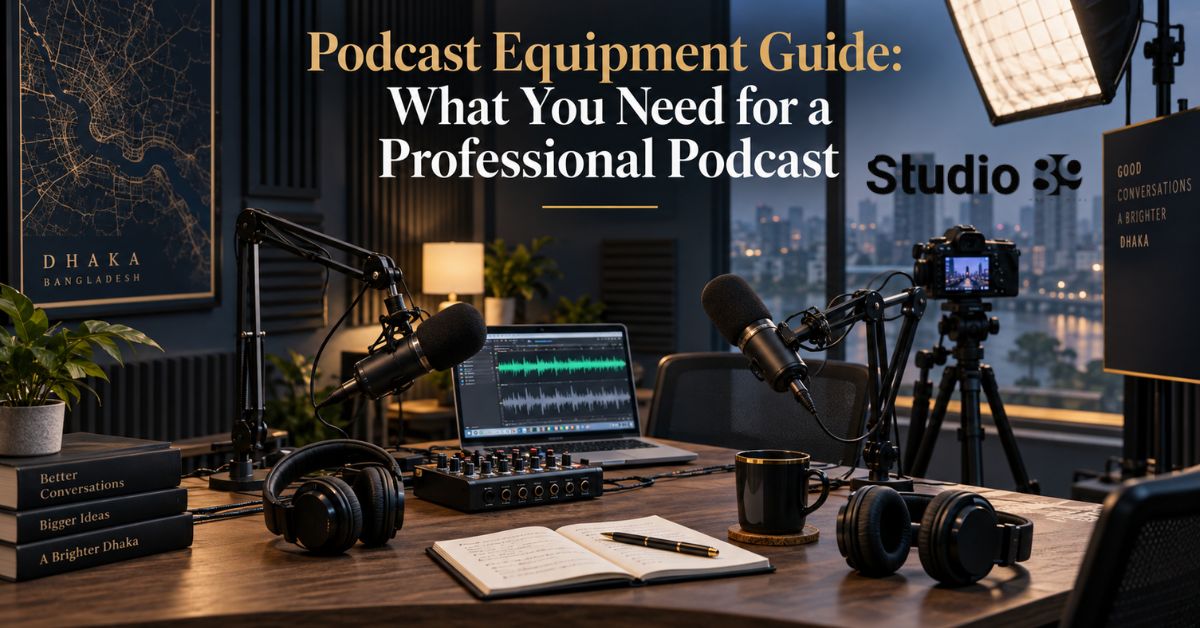
A professional podcast setup needs a microphone for each speaker, headphones, a microphone stand or boom arm, a pop filter, an audio interface or recorder, recording software, cables, and a quiet recording environment.
For a video podcast, you also need cameras, tripods, continuous lighting, memory or storage, and a reliable method for synchronizing audio and video.
This podcast equipment guide explains what is essential, what is optional, and what creators, filmmakers, YouTubers, and brands in Dhaka should prioritize before buying equipment or booking a studio.
Start with clear audio, controlled acoustics, and reliable monitoring. Expensive cameras cannot rescue distorted, echo-heavy, or inconsistent dialogue.
What Is Podcast Equipment?
Podcast equipment is the hardware and software used to capture, monitor, record, edit, store, and publish spoken-word content.
A complete podcast signal chain normally works like this:
Voice → Microphone → Audio interface or recorder → Recording software → Editing → Publishing
For video podcasts, a second chain runs alongside it:
Subject → Camera → Memory card or capture system → Video editing → Platform export
The equipment should match the number of speakers and the recording environment.
A solo creator does not need the same setup as a three-person interview show. This is why a useful podcast equipment guide should begin with the podcast format—not a shopping list.
Essential Podcast Equipment Checklist
| Equipment | Why You Need It | Essential? |
|---|---|---|
| Microphone | Captures each speaker’s voice | Yes |
| Audio interface or recorder | Converts and records microphone signals | Usually |
| Closed-back headphones | Monitors audio without speaker leakage | Yes |
| Boom arm or microphone stand | Maintains stable microphone position | Yes |
| Pop filter or windscreen | Reduces strong “p” and “b” sounds | Recommended |
| XLR or USB cables | Connects microphones and equipment | Yes |
| Recording software | Records and organizes audio tracks | Yes |
| Acoustic treatment | Reduces echo and reflections | Strongly recommended |
| Computer or recording device | Runs software or stores recordings | Yes |
| Backup storage | Protects recordings from loss | Yes |
| Camera and tripod | Records video podcast footage | Video only |
| Continuous lighting | Creates consistent video exposure | Video only |
Focusrite’s podcast guidance similarly identifies microphones, headphones, pop protection, podcast equipment guide and sound treatment as important parts of a studio-quality setup.
1. Choose the Right Podcast Microphone
The microphone has the most visible role in a podcast equipment guide, but it should not be selected by brand name alone.
Consider:
- Recording environment
- Number of speakers
- Connection type
- Available interface gain
- Presenter microphone technique
- Portability
- Upgrade plans
Dynamic Microphone
A dynamic microphone is usually a practical choice for podcasts recorded in bedrooms, offices, or other imperfect rooms.
Dynamic microphones are generally less sensitive to distant room noise than condensers. podcast equipment guide RØDE notes that condenser microphones can offer additional detail but may capture more background noise, making dynamic microphones preferable when the room is not well isolated. Shure also recommends close use of a dynamic microphone in quiet, soft-furnished rooms to reduce room sound.
Condenser Microphone
A condenser microphone can capture greater detail and sensitivity.
It is most suitable when:
- The room is quiet
- Acoustic reflections are controlled
- The speaker has consistent technique
- The recording requires a more detailed sound
A condenser is not automatically more professional. podcast equipment guide in an untreated room, its sensitivity can expose echo, fans, traffic, air conditioning, and computer noise.
2. USB vs XLR Microphones
A practical podcast equipment guide must explain connections because this choice affects the rest of the system.
| Factor | USB Microphone | XLR Microphone |
|---|---|---|
| Setup | Connects directly to a computer | Requires an interface or recorder |
| Best for | Solo beginners and portable recording | Multi-person and expandable setups |
| Complexity | Lower | Higher |
| Upgrade flexibility | Limited | Strong |
| Multiple microphones | Can become difficult | Easier with enough interface inputs |
| Separate gain control | Built into mic/software | Managed through interface or mixer |
Choose USB When:
- You have one host
- You want a simple setup
- You record directly to a computer
- Portability matters
- You do not expect multiple local guests soon
Choose XLR When:
- You record two or more people
- Each speaker needs an individual track
- You want replaceable components
- You need a mixer or recorder
- You plan to expand the studio
RØDE recommends XLR microphones with a multichannel recorder for podcasts featuring several presenters or regular guests. podcast equipment guide a USB microphone contains much of its connection and conversion system internally, while an XLR microphone normally relies on an external interface or recorder.
3. Do You Need an Audio Interface?
An podcast equipment guide audio interface receives the analogue signal from an XLR microphone, converts it into digital audio, and sends it to a computer. It also sends sound back to headphones or speakers.
You need an audio interface when:
- You use XLR microphones
- You want individual microphone gain controls
- You need two or more microphone inputs
- You want several isolated tracks
- You need direct headphone monitoring
Choose the interface by the number of simultaneous speakers.
| Podcast Format | Minimum Microphone Inputs |
|---|---|
| Solo podcast | 1 |
| Host and guest | 2 |
| Host and two guests | 3 |
| Four-person discussion | 4 |
Do not purchase a one-input interface for a two-person podcast unless you are prepared to replace it later.
A dedicated podcast recorder or production console can replace a conventional interface in some workflows.
4. Use One Microphone Per Speaker
Every local participant should ideally use a separate microphone.
This gives the editor control over:
- Individual volume
- Background noise
- Equalization
- Compression
- Interruptions
- Coughs and handling noise
- Speaker balance
Sharing one podcast equipment guide microphone often podcast equipment guide causes inconsistent levels because speakers sit at different distances and turn their heads during conversation.
For a two-person show, plan for:
- Two microphones
- Two stands or arms
- Two XLR cables
- Two headphone outputs
- An interface with at least two microphone inputs
RØDE’s multi-person podcast systems follow the same one-microphone and one-headphone-per-participant structure.
5. Closed-Back Headphones for Monitoring
Headphones allow hosts and producers to hear what the podcast equipment guide recording system is capturing.
They help detect:
- Clipping or distortion
- Low microphone levels
- Cable problems
- Clothing noise
- Background noise
- Remote-call echo
- Microphone bleed
Closed-back headphones are usually preferable during recording because they reduce sound leaking back into microphones.
Focusrite’s podcast interfaces provide individual headphone outputs for hosts and guests, while Shure recommends monitoring and checking levels during recording.
Do not rely only on visible level meters. podcast equipment guide a signal may appear active while still containing hum, distortion, or interference.
6. Microphone Arms, Stands, Pop Filters and Shock Mounts
Small accessories have a significant effect on consistency.
Boom Arm or Stand
A boom arm keeps the microphone near the speaker’s mouth without podcast equipment guide requiring the host to hold it.
It also helps maintain a stable distance throughout the episode. Focusrite notes that stands and boom arms support consistent levels by keeping the microphone in a fixed position.
Pop Filter or Windscreen
A pop filter reduces plosive sounds caused by bursts of air from words beginning with “p,” “b,” or similar consonants.
Shock Mount
A shock mount reduces vibrations transferred through the desk, stand, or floor.
It is particularly useful when participants touch the table, type, move equipment, or reposition themselves.
Microphone Distance
Shure recommends speaking approximately three to six inches from a podcast equipment guide dynamic microphone in a suitable recording space. The ideal distance still depends on the microphone, voice, gain setting, and room.
7. Acoustic Treatment and Room Selection
The room is part of your equipment.
A premium microphone in a reflective room can sound less professional than a modest microphone in a controlled environment.
Avoid rooms with:
- Bare walls
- Large glass surfaces
- Empty floors
- Loud fans
- Street-facing windows
- Mechanical noise
- Strong air-conditioning noise
Useful treatment may include:
- Acoustic panels
- Heavy curtains
- Rugs
- Upholstered furniture
- Bass traps
- Portable absorption panels
- Door and window sealing
Acoustic foam alone does not make a room soundproof. podcast equipment guide Acoustic treatment controls reflections inside the room, while sound isolation reduces noise entering or leaving it.
For creators in busy Dhaka environments, room control may produce a larger improvement than replacing an already usable microphone.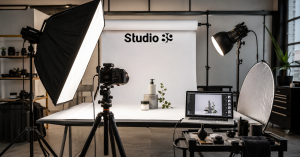
8. Recording Software and Multitrack Audio
Recording software captures and organizes the podcast.
Your software should support:
- Separate tracks for each microphone
- Input selection
- Level monitoring
- Marker placement
- Basic editing
- Noise cleanup
- Export to common audio formats
- Backup recording where possible
Popular workflows include desktop audio software, video-editing software, dedicated recorder storage, or remote-interview platforms.
Record each participant to a separate track whenever the setup allows it.
A stereo mix may be useful as a backup, but isolated tracks provide more post-production control.
9. Cables, Storage and Backup Recording
A complete podcast equipment guide must include the unglamorous items that prevent production failures.
Prepare:
- Tested XLR or USB cables
- Spare cables
- Power adapters
- Extension boards
- Memory cards
- External SSD or hard drive
- Spare batteries
- Cable labels
- Headphone adapters
- A secondary recording method
Before the guest arrives:
- Test every microphone.
- Confirm the recording destination.
- Check available storage.
- Record a short test.
- Listen through headphones.
- Confirm backup recording.
Never delete the recording from its original device until it has been copied to at least two reliable locations.
What Equipment Do You Need for a Video Podcast?
A video-podcast podcast equipment guide adds visual-production equipment to the audio setup.
You may need:
- One to three cameras
- Tripods
- Continuous key and fill lights
- Background or designed set
- Memory cards or video switcher
- Power adapters or dummy batteries
- Slate or synchronization method
- Video monitor
- Editing computer
- Storage drives
One-Camera Setup
Suitable for:
- Solo podcasts
- Simple educational shows
- Limited budgets
Two-Camera Setup
Suitable for:
- Host-and-guest interviews
- Separate close-ups
- Cleaner edits
Three-Camera Setup
Suitable for:
- Host close-up
- Guest close-up
- Shared wide shot
More cameras provide editing flexibility, but audio remains the priority. podcast equipment guide a visually polished episode with poor dialogue will still feel unprofessional.
Podcast Equipment Setup by Creator Level
| Level | Recommended Setup |
|---|---|
| Beginner solo creator | USB dynamic mic, headphones, boom arm, computer, quiet room |
| Two-person podcast | Two XLR dynamic mics, two headphones, two-input interface, acoustic treatment |
| Professional audio show | Multichannel interface or recorder, individual mics, headphone distribution, controlled room |
| Video podcast | Professional audio setup plus two or three cameras, tripods, lighting and video editing |
| Branded corporate podcast | Studio set, production crew, multichannel audio, multi-camera recording, graphics and platform exports |
The best podcast equipment guide recommendation is to purchase for your current format while leaving enough capacity for realistic growth.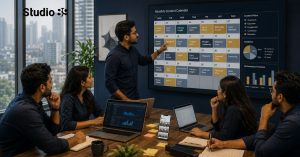
Home Podcast Setup vs Professional Studio Rental
| Factor | Home Setup | Professional Studio |
|---|---|---|
| Upfront investment | Equipment purchase required | Session-based booking |
| Acoustic control | Must be created | Already prepared |
| Equipment maintenance | Creator handles it | Studio handles it |
| Setup time | Repeated before sessions | Production-ready environment |
| Camera and lighting | Purchased separately | May be included |
| Best for | Frequent solo recording | Premium, guest and branded production |
| Technical support | Limited | Available depending on package |
A home setup makes sense when you record frequently and can control the room.
Professional Studio Rental may be more efficient when:
- You record occasional episodes
- The programme has important guests
- You need multiple cameras
- You want consistent branding
- Your location is noisy
- You do not want to buy and maintain equipment
Studio89 Podcast Equipment and Production in Dhaka
Studio89’s podcast setup uses Rode and DJI audio support, two-camera or three-camera options, and Godox studio lighting depending on the selected production tier. The service is designed for professional audio-video recording and platform-ready output.
Current published Podcast Production packages include:
| Package | Current Price | Main Setup |
|---|---|---|
| 1 hour | Tk 6,500 | 2-camera setup and professional Rode audio |
| 1 hour | Tk 10,500 | 3-camera setup and professional audio |
| 2 hours | Tk 15,000 | 3-camera professional studio setup |
Studio89 also offers Professional Studio Rental at Tk 3,000 for one hour, Tk 5,000 for two hours, Tk 6,000 for three hours, and Tk 18,000 for a full day. The rental offer includes professional lighting, acoustic control, flexible sets, and equipment access.
The Studio89 website currently describes its podcast production as using Rode and DJI audio support, multiple camera options, and YouTube- and Spotify-ready production direction.
Exact camera models, recording resolution, sample rate, file format, editing scope, and podcast equipment guide delivery timeline are not consistently specified publicly. Confirm the technical requirements and final deliverables before booking.
Common Podcast Equipment Mistakes
Avoid these problems:
- Buying a sensitive condenser for a noisy room
- Purchasing too few interface inputs
- Making several people share one microphone
- Recording without headphones
- Placing the microphone too far away
- Ignoring acoustic reflections
- Using untested cables
- Recording only one mixed track
- Relying on one storage device
- Spending heavily on cameras before fixing audio
- Assuming studio rental includes editing
- Choosing equipment based only on appearance
A professional podcast depends on the complete signal chain. One premium item cannot compensate for weak room control, incorrect gain, or poor microphone technique.
Final Recommendation
A reliable podcast equipment guide should help you prioritize in this order:
- Quiet and controlled recording environment
- One suitable microphone per speaker
- Correct microphone placement
- Interface or recorder with enough inputs
- Closed-back monitoring headphones
- Stable stands and pop protection
- Separate recording tracks
- Backup storage
- Cameras and lighting for video
- Editing and publishing workflow
Start with the equipment required for your actual show. Upgrade only when the current setup limits audio quality, workflow, or production consistency.
For a professional audio-video podcast in Dhaka, review Podcast Production, explore Professional Studio Rental, and book your Studio89 session after confirming the current equipment, technical specifications, editing scope, and availability.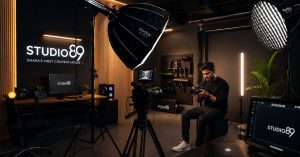
FAQ Section
What equipment do I need to start a podcast?
You need a microphone, headphones, a microphone stand or boom arm, recording software, cables, and a quiet space. XLR microphones also require an audio interface or recorder. Add a pop filter, acoustic treatment, and backup storage for a more reliable setup. A video podcast additionally needs cameras, tripods, lighting, memory, and video-editing software.
Do I need an audio interface for a podcast?
You need an audio interface when you use an XLR microphone and record into a computer. The interface converts the microphone signal into digital audio and provides gain control and headphone monitoring. A USB microphone has its own digital connection, so a separate interface is usually unnecessary. A standalone multichannel podcast recorder may also replace the interface.
Is a USB or XLR microphone better for podcasting?
A USB microphone is better for simple solo recording because it connects directly to a computer. An XLR microphone is better for expandable or multi-person setups because several microphones can connect to a suitable interface or recorder. Neither format guarantees good sound; room acoustics, microphone technique, gain, and editing remain important.
Is a dynamic or condenser microphone better for podcasts?
A dynamic microphone is usually more practical in untreated or noisy rooms because it tends to capture less distant room sound. A condenser can provide more sensitivity and detail in a quiet, acoustically controlled environment. Choose according to the room rather than assuming that the more sensitive microphone is automatically better.
Do podcast guests need headphones?
Yes, headphones are strongly recommended. They allow each participant to monitor their microphone and hear problems such as distortion, low volume, cable noise, remote-call echo, or interference during recording. Closed-back headphones are preferable because they reduce sound leakage into the microphones.
How many microphones do I need for a podcast?
Use one microphone per local speaker whenever possible. A host-and-guest show needs two microphones. A three-person discussion needs three. Separate microphones and tracks allow the editor to adjust each speaker independently and remove unwanted noise without damaging the other voices.
What equipment do I need for a video podcast?
A video podcast needs the complete audio setup plus one or more cameras, tripods, continuous lighting, memory cards or capture hardware, power solutions, storage, and video-editing software. Two cameras can provide individual host and guest views. A three-camera setup adds a shared wide angle.
How much does podcast equipment cost in Bangladesh?
There is no dependable universal price because microphones, interfaces, cameras, and imported equipment change in price by model, retailer, exchange rate, and availability. Obtain current local quotations before purchasing. Studio89’s complete Podcast Production currently starts at Tk 6,500, while Professional Studio Rental starts at Tk 3,000 per hour.
About Studio89
Studio89 is Dhaka’s First-Ever Content House, offering professional studio rental, podcast production, product photography and videography, online video commercial production, personal branding, video resume solutions, and 360° marketing services. Based in Dhaka, Bangladesh, Studio89 helps brands, CEOs, founders, creators, e-commerce businesses, and professionals create strategy-led content for digital platforms.
